
Security
CLARITY is designed with security as a core principle. This guide covers the security measures built into the platform and recommendations for production environments.
Credential encryption
All cloud provider credentials (AWS access keys, Azure service principal secrets, GCP service account keys) are encrypted at rest using AES-256 encryption. Credentials are:
- Encrypted before storage in the database
- Decrypted only in memory when needed for API calls
- Never logged, cached in plaintext, or exposed in API responses
- Never transmitted to third parties
Session management
CLARITY uses server-side session management:
- Sessions are stored server-side (not in browser cookies)
- Session tokens are cryptographically random
- Sessions are rolling and expire after 30 days of inactivity
- Logging out immediately invalidates the session
Cloud account data is not partitioned per user
Cloud accounts are organization-level objects. Every authenticated user of a CLARITY instance can read every connected account's costs and resources; roles restrict actions, not visibility. Use separate deployments if teams must not see each other's spend.
Role-Based access control
Every API operation enforces role-based permissions:
- All endpoints require authentication
- Each endpoint checks the user's role before executing
- Unauthorized requests return an error without leaking data
- Role checks happen server-side and cannot be bypassed by the client
See Roles & Permissions for the full permission matrix.
Audit logging
CLARITY maintains a comprehensive audit log of all significant actions:
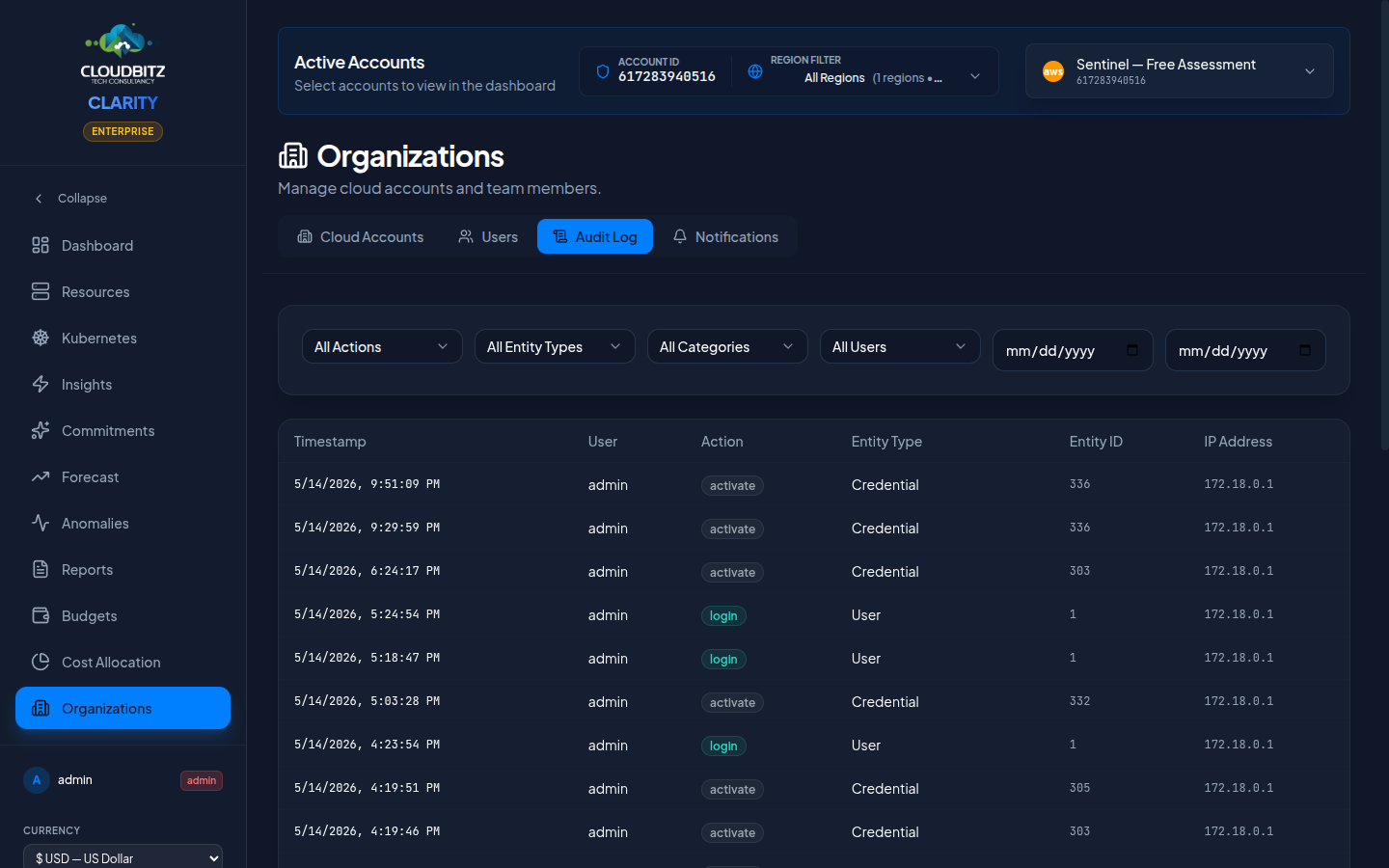
| Category | Tracked Events |
|---|---|
| Authentication | Login attempts (success and failure), logouts |
| Account Management | Credential additions, updates, deletions |
| Data Operations | Sync triggers, report generation |
| User Management | User creation, role changes, deactivation |
| System Events | Configuration changes, scheduled operations |
Audit logs include timestamps, the acting user, the action performed, and relevant context. Viewing the audit log requires the admin role and a Business or Enterprise subscription. CLARITY provides no interface for editing or deleting audit entries.
Optional security integrations
Cloudflare access (SSO)
CLARITY can be placed behind Cloudflare Access to add identity-provider-based authentication:
- Enforce login via your corporate identity provider (Okta, Azure AD, Google Workspace, etc.)
- Add a second authentication layer before users reach CLARITY
- Manage access policies centrally through Cloudflare's dashboard
Cloudflare turnstile (CAPTCHA)
Enable Cloudflare Turnstile on the login page to protect against automated login attempts and credential stuffing.
Network security recommendations
For production deployments, we recommend:
- Run behind a VPN or Cloudflare Access — Do not expose CLARITY directly to the public internet
- Restrict port access — Only the web interface port needs to be accessible to users
- Use HTTPS — Terminate TLS at your reverse proxy or load balancer
- Isolate the database — Ensure the database is not accessible from outside the application network
- Rotate credentials regularly — Periodically rotate cloud provider credentials stored in CLARITY
WARNING
Never expose database or internal service ports to the public internet. Only the CLARITY web interface should be reachable by end users.
Next steps
- Set up Users and Roles
- Connect your cloud accounts via the Quickstart Guide